
PixLR Photo Editor Review: Is It Good for Phone Photos?
Bob Wild
Fine Art Photographer, Vancouver Island
Founder of Who Said Photography | 20+ years shooting | I try and test every tip on real shoots before it goes on the page
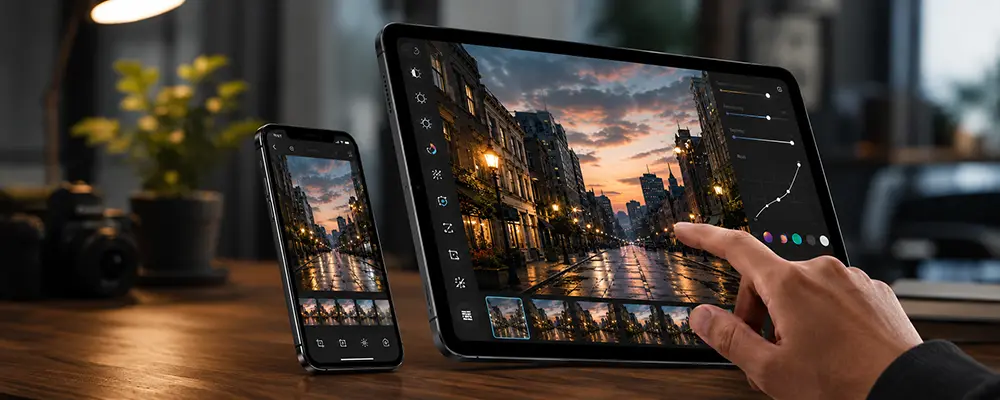
pixlr photo editor sits between basic phone editing and heavier desktop tools. It’s useful when you need quick fixes, cleaner social posts, simple product images, or background cleanup without a steep learning curve.
It can do more than your phone’s gallery editor with advanced photo editing tools. It’s not a full replacement for pro editing software. The best use is simple: fix the photo, size it for the job, and move on.
Key Takeaways
pixlr works well for quick edits, social images, and simple background cleanup.
pixlr Express fits beginners who want fast fixes without extra settings.
pixlr E gives more control for layers, adjustments, and detailed exports.
AI tools help, but credits, limits, and pricing need checking.
AI tools help, but credits, limits, and pricing need checking.
What is pixlr Photo Editor? How does it work?
pixlr is a mobile-first photo editor with web and desktop options.
That setup helps when you don’t want to move every phone photo into heavy editing software. You can open pixlr in a browser, use it on your phone, or work from a desktop when you want a larger screen for your online photo editing.
pixlr includes a few different tools. pixlr Express is made for fast edits. pixlr E gives you more control. Other tools cover background removal, AI edits, image generation, design work, and batch editing.
For phone photos, that gives you room to do more than crop and add a filter. You can resize an image for a post, clean up a product photo, make a collage, remove a background, or prepare a thumbnail using the pixlr online photo editor.
The Pixlr photo editor works best when you already know what the photo needs. Maybe it needs a tighter crop. Maybe it needs a cleaner background. Maybe it needs to fit a social media size without cutting off the subject in your online photo editing process.
Is pixlr suitable for beginners?
Yes, pixlr works well for beginners, especially if you start with pixlr Express.
You don’t need to learn every tool at once. Start with the basics: crop, straighten, adjust brightness, resize, and export.
pixlr Express is a better starting point for simple edits. Use it for your travel photo, a quick profile image, a Facebook marketplace listing, or an Instagram post.
Maintain a light touch with your initial edits. Phone photos can look harsh when you push filters, sharpness, or contrast too far. A small brightness fix and a cleaner crop often look better than a heavy effect in the photo editing process.
I’d save the AI tools until after the basic edit looks right. If the photo appears crooked, too dark, or poorly cropped, please address those issues first. Then test effects or background cleanup.
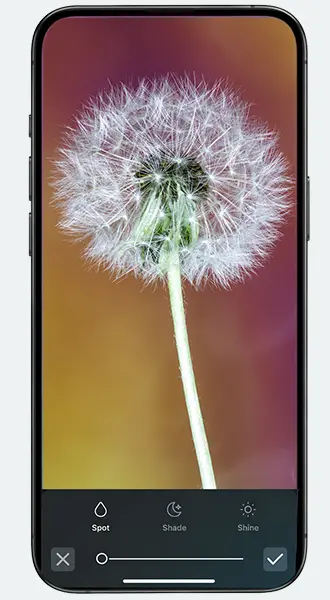

What’s the difference between pixlr Express and pixlr E?
pixlr Express is for quick edits, while pixlr E is for more detailed editing.
Use Express when you want a basic tool. It’s the better fit for cropping, resizing, quick effects, social media formats, and simple exports. You can finish the job without opening a more complex workspace.
Use pixlr E when your edits need more control. It makes better use of layers, panels, filters, adjustments, and export choices such as JPEG, PNG, and WebP.
Here’s the simple way to think about it. If you’re enhancing a photo, we recommend starting with Express. If you’re building something with a photo, try pixlr E.
For example, use Express to crop a portrait for an IG post. Use pixlr E to place that portrait over a new background, add text, adjust layers, and export your finished graphic art.
|
Best For |
Not Ideal For |
|---|---|
|
Quick phone-photo edits |
Large professional workflows |
|
Social media crops |
Deep photo management |
|
Background cleanup |
Precision work on every device |
|
Simple product photos |
Full RAW editing workflows |
|
Collages and thumbnails |
Unlimited AI editing |
Where pixlr helps the most
pixlr is particularly useful when you need to enhance a phone photo for a specific purpose. A social media post, a product image, a thumbnail, or a collage.
For travel photos, use it to crop distractions and brighten the image. Use it to eliminate backgrounds or tidy up the frame of product photos. For portraits, use gentle adjustments and avoid heavy effects.
The pixlr photo editor also works well when your phone image needs text or a layout. You can turn a basic photo into a social graphic, marketplace image, or simple promotional post.
Still, don’t overwork the image. If a photo has poor light, motion blur, or bad focus, pixlr can help only so much with basic photo editing. Start with the best original photo you have.
How useful are pixlr’s AI tools?
pixlr’s AI tools can save you time on common editing jobs.
Background removal is the most practical AI tool for many phone photographers. It can help with product photos, profile images, and simple graphics.
Remove Object can help clean up small distractions. Try it on a mark on a wall, clutter near the edge of a frame, or a small item on a table.
Generative Fill can help repair or extend parts of an image. The AI image generator is better for creative graphics than normal photo correction in the pixlr editor.
Please review your AI results before posting. Edges, shadows, hands, text, and fine details can look odd. AI can speed up your editing process, but it still requires your attention to detail.
Also check current pricing, free limits, app availability, and AI-credit details before publishing any recommendation. These details can change, and AI tools may depend on credits, account limits, or paid features.
What about batch editing?
Batch editing helps when several phone photos need the same change.
Use it for resizing, format changes, or simple repeat edits. For example, you might resize ten product photos to the same width. You might also prepare a set of travel photos before uploading them to a blog.
Batch editing is useful, but it’s not a set-and-forget fix. One setting may look fine on a bright outdoor photo and too harsh on an indoor photo.
Check the final images before posting to ensure a polished editing experience. Look for bad crops, rough edges, strange colours, or files that were exported at the wrong size.
If you’re working on product photos, keep the look consistent. Similar crops, clean backgrounds, and matching image sizes can make a small shop or listing page feel more organized.
What are pixlr’s main limits?
pixlr has limits around performance, pricing, credits, and workflow.
Browser editing can depend on your internet connection, device, file size, and browser performance. Large files or complex edits may feel slower than a dedicated app.
Some tools may require subscriptions, AI credits, or account access. This mobile app include ads or in-app purchases.
The pixlr photo editor is also less suited to deep professional workflows compared to advanced photo editing software. If you need advanced RAW editing, detailed colour control, file organization, or high-volume client work, dedicated editing tools may fit better.
pixlr E also has a learning curve. It’s still approachable, but layers, panels, and export settings take practice. Give yourself a few test edits before using it on an image you care about.

RECOMMENDED EDITOR
Skylum mobile photo editor – For when you outgrow the build in phone editor
The desktop & mobile editor I reach for my serious shots. Free 30-day trial
Conclusion
pixlr is a practical middle-ground editor for phone photographers. It gives you more control than basic phone tools without pushing you into a heavy desktop workflow.
Use pixlr Express for quick fixes, resizing, filters, collages, and social posts in your photo editing tasks. Use pixlr E when you need layers, more control, or a detailed edit.
The AI tools can help with background cleanup, object removal, generative fill, and creative images in your photo editing workflow. Check the results closely before you share or publish.
Also confirm current pricing, free limits, app availability, subscription features, ads, and AI-credit details before publishing a recommendation.
About Bob Wild
Bob is a fine-art photographer on Vancouver Island and the creator of Phone Photo Guide, and the founder of Who Said Photography. He shares practical mobile photography tips based on real shooting situations, including portraits, natural light, composition, and everyday phone editing.