Take Better Photos
With The Phone in
Your Pocket
Capture Beautiful, Professional-Quality Photos with Your Mobile Phone
Tip, Tutorials and More…
Start with what you want to improve
iPhone
Discover tips and settings that help you capture better photos with your iPhone.
Android
Explore Android features and settings to take sharper and more balanced photos.
Photo Tips
Learn simple techniques to improve composition, lighting, and focus with your phone.
Mobile Apps
Explore mobile apps that help you edit photos and improve your images quickly.
Fix common phone photo problems
Blurry photos
Get sharper, clearer photos every time
Bad lighting
Learn to handle bright, dark and tricky lighting
Poor composition
Use simple composition tricks that work
Editing mistakes
Avoid common edits that ruin your photos
Latest Guides
-
Capture Silhouette Photos With Phone: 4 Tips for Striking Images
Capture Silhouette Photos With Phone: 4 Tips for Striking Images I’ve often taken a photo of a beautiful sunset and…
-
Negative Space Phone Photography: Frame Stronger Photos
Negative Space Phone Photography: Frame Stronger Photos Negative space phone photography is something I use when my subject starts getting…
-
Reflections in Phone Photography: How To Shape The Shot
Reflections in Phone Photography: How To Shape The Shot When it comes to reflections in phone photography, most of us…


Why learn with phone photo guide
Practical tips
Straight forward advice you can use right away
Step by step guides
Clear tutorials that break down each step
Real-World advice
Tips from real life situations not just theory
Hi, I’m Bob – I help beginners
take better phone photos
With over 20 years of photography experience, I still rely on a mirrorless camera for most of my daily work. That said, the more I shoot with my Google phone, the more impressed I am by what it can do. In many ways, it has replaced the compact camera I once carried everywhere
Why? Because it’s always with me, it’s quick to use, and it still captures great photos, especially with the ability to shoot in RAW.
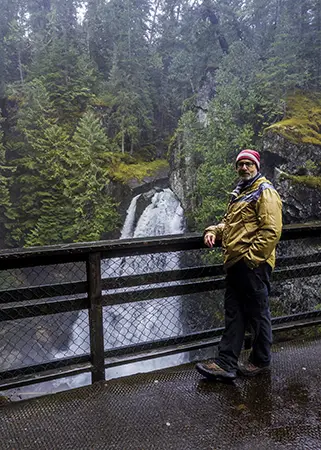
Like a lot of us, sometimes I just want to grab a quick shot while I’m out hiking, exploring waterfalls, or wandering through the forest. Instead of digging my camera out of my backpack, I can pull out my phone, take the shot, make a few quick edits, and share it instantly to Instagram and Facebook.
Smartphone photography isn’t about replacing your main camera. It’s about having a powerful, creative tool in your pocket when the moment happens.