
Smartphone Photography Tips: Take Better Photos Today
Your smartphone really can capture impressive photos that can compare to a high end camera. However, great images depend on more than the camera itself. Lighting, composition, and technique all play a big role.
The good news is that you do not need expensive equipment or professional training to improve your photos. A few small changes in how you take pictures can make a big difference.
These smartphone photography tips will help you take clearer, brighter, and more interesting photos using the phone you already carry every day.
Whether you enjoy travel, family photos, or social media posts, learning a few basic photography habits can quickly improve your results.

Key takeaways
Clean your camera lens before taking photos
Good lighting improves photo quality instantly
Composition techniques help create more interesting photos
Camera features like HDR and portrait mode can improve results
Simple editing can enhance colours and brightness
Prepare your smartphone camera
Before you take a photo, it helps to spend a few seconds preparing your camera. These small steps can improve your images without extra effort later.
Clean the Camera Lens
Your phone travels everywhere with you. It sits in pockets, bags, and hands throughout the day. Because of this, the lens often collects fingerprints, dust, and dirt.
Even a small smudge can make images look soft or hazy.
Before taking pictures, wipe the lens with a soft cloth or the corner of your shirt. This simple habit can instantly improve clarity.
Turn On Grid Lines
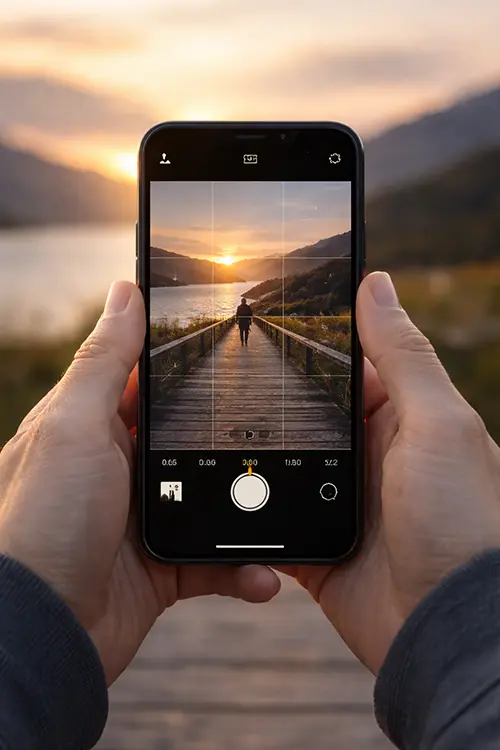
Most mobile cameras allow you to enable grid lines in the settings.
These lines divide the screen into nine sections and help guide composition. They make it easier to place your subject and keep horizons level.
Check Camera Settings
Take a moment to review camera settings before shooting.
Useful features often include:
HDR mode
portrait mode
night mode
exposure adjustment
Understanding these tools helps you choose the right setting for different scenes.
Tap to Focus
Many people forget to adjust focus when taking photos.
Tap the screen where your subject appears before pressing the shutter. This tells the camera what should appear sharp.
After focusing, you can also adjust brightness using the exposure slider.
Improve your photo composition
Composition is how elements are arranged within a photo. Good composition helps guide the viewer’s eye and makes an image more interesting.
Use the Rule of Thirds
The rule of thirds divides the image into nine equal sections. Instead of placing the subject directly in the centre, position it along one of the grid lines or where they intersect. This often creates a more balanced photo.
Look for Leading Lines
- roads
- pathways
- fences
- bridges
- rivers
When these lines lead toward your subject, the photo feels more dynamic.
Frame the Subject
Framing means using objects in the environment to surround your subject. You might take a photo through a window, tree branches, or a doorway. This adds depth and helps draw attention to the subject.
Use Symmetry and Patterns
Symmetry occurs when both sides of an image mirror each other. Patterns can also create interesting photos. Look for repeating shapes such as tiles, buildings, or reflections.
Use better lighting
Lighting is one of the most important parts of photography. Even the best camera struggles when light is poor. Learning to recognize good lighting can dramatically improve your images
Use natural light
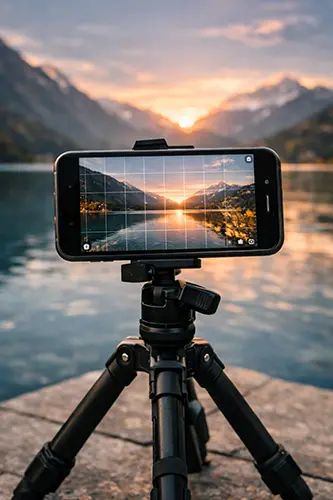
Natural light often produces the best results. Outdoor lighting usually provides strong and even illumination. When taking photos indoors, position your subject near a window when possible.
Shoot during golden hour
Golden hour happens shortly after sunrise and just before sunset. The light becomes softer and warmer during this time. This creates gentle shadows and rich colours that look great in photos.
Avoid harsh midday sun
Bright midday sunlight can create strong shadows and washed out colours. If possible, move into shaded areas or wait until the sun becomes lower in the sky.
Use window light indoors
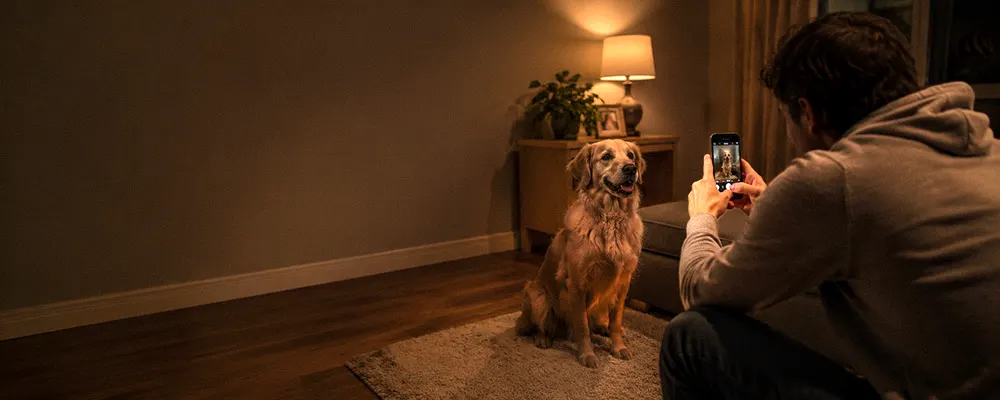
Indoor lighting can sometimes look flat or yellow. Window light provides softer and more natural illumination. Position the subject so the light falls across them from the side.
Use your smartphone camera features
Modern phones include helpful camera tools that improve image quality in different situations.
Portrait mode for people
Portrait mode keeps the subject sharp while softly blurring the background.
This effect helps separate the subject from the surroundings and works well for people and pets
Night mode in low light
Night mode allows the camera to capture more light in darker environments.
The camera takes several exposures and blends them together to create a brighter image. Holding the phone steady helps produce the best results.
Edit your smartphone photos
Editing is part of modern photography. Small adjustments can improve colour, brightness, and overall appearance. Most phones include built in editing tools that are easy to use.
Crop the image
Cropping removes distractions around the edges and improves framing. This allows you to focus attention on the main subject.
Adjust brightness and contrast
Increasing brightness can make details easier to see. Adding a small amount of contrast helps separate light and dark areas. Subtle adjustments usually look best.
Improve colour balance
Lighting can sometimes cause colours to appear too warm or too cool. Adjusting colour balance helps restore natural tones.
Use editing apps
Mobile editing apps offer additional tools. Popular options include:
Lightroom Mobile, Snapseed, VSCO
These apps allow you to adjust exposure, colour, sharpness, and other details.
Smartphone photography tips for better results
Improving your photos often comes down to a few simple habits.
| Tips | Why It Helps |
|---|---|
| Cleans the lens | Improve image clarity |
| Use natural light | Produces better colour and detail |
| Enable grid lines | Help compose a balanced photo |
| Avoid digital zoom | Prevents loss of image quality |
| Hold the phone steady | Reduces blur |
| Edit photos after shooting | Enhances colours and exposure |


When to use these techniques
Different situations benefit from different photography approaches.
| Situation | Helpful Technique |
|---|---|
| Portrait photos | Portrait mode and soft light |
| Landscapes | Rule of Thirds and HDR |
| Low light scenes | Night mode and steady shooting |
| Indoor photos | Window light and exposure adjustment |
Practice these photo ideas
Practice helps you understand how lighting, composition, and camera settings affect your photos.
Try these simple exercises:
- Photograph the same subject at different times of day
- Use grid lines to compose a balanced image
- Capture a scene with leading lines such as a road or pathway
- Compare photos taken in sunlight and shade
- Practice using portrait mode with a friend
These exercises help build confidence and improve your ability to recognize strong photo opportunities
Best subjects for mobile
Some subjects work especially well with phone cameras.
|
Subject |
Why it Works Well |
|---|---|
|
Food |
Background blur helps subject stand out |
|
Travel Photos |
Your phone is always available when moments happen |
|
Portrait |
Background blur helps subject stand out |
|
Landscapes |
Wide scenes benefits from HDR |
|
Street Scenes |
Phones are small and easy to use quickly |
How to take better photos with your phone
Better photos usually come down to three things: lighting, composition, and stability. Use natural light when possible, place the subject carefully within the frame, and keep the camera steady while taking the shot. Even small improvements in these areas can dramatically improve the final image.
Common mistakes to avoid
Many beginner mistakes are easy to correct once you know what to watch for.
Dirty Lens – A smudged lens can make photos look foggy or soft. Cleaning the lens regularly improves sharpness.
Poor Lighting – Low light often produces grainy or blurry images. Whenever possible, move toward better lighting.
Heavy Filters– Strong filters can make photos look unnatural. Light adjustments to brightness and colour often produce better results.
Rushing the Shot – Taking a few extra seconds to check lighting and framing can greatly improve the final image.
Why phone photos sometimes look blurry
Images from a phone camera often appear blurry because of camera movement, poor lighting, or focus issues.
Holding the device steady, tapping to focus, and using better lighting conditions can help produce sharper photos
Conclusion
Taking better photos with your phone does not require expensive equipment or advanced photography knowledge.
By paying attention to lighting, composition, and shooting technique, you can quickly improve the quality of your images.
Practice these techniques often and experiment with different scenes and angles. Over time you will develop a better eye for strong photos.