
How to Take Better Photos With Your Phone

Bob Wild
Fine Art Photographer, Vancouver Island
Founder of Who Said Photography | 20+ years shooting | I try and test every tip on real shoots before it goes on the page

How to take better photos with your phone starts with a few simple habits. You don’t need an expensive camera to capture polished and memorable photos. That magical phone in your pocket can achieve a great deal if you know what to focus on. The real difference comes from light, timing, composition, and a bit of care before you tap the shutter..
Key Takeaways
Clean your phone lens before every shot because fingerprints and dust can quickly make a good photo look soft, dull, and less detailed.
Use soft natural light whenever possible because it gives cleaner colours, gentler shadows, and more flattering results than harsh midday sun.
Keep your composition simple by choosing one clear subject and removing distractions that pull attention away from the main part of the image.
Tap to focus and adjust exposure before shooting so your subject stays sharp and the brightness looks balanced.
Hold your phone steady and make small editing adjustments after the shot to improve sharpness while keeping the final image natural
Why should you focus on one subject?
You should focus on one subject because a clear subject makes the photo stronger and easier to read. This can be a person, a flower, a meal, or one detail in a wider scene.
When too many things compete for attention, the image feels messy. A simple frame often looks more polished and more professional.
Try this before shooting:
- Choose one clear subject
- Remove distractions in the background.
- move closer instead of zooming too much
- Leave out anything that adds clutter.
This works well for portraits, travel shots, food photos, and everyday moments.
What kind of light makes phone photos look better?
Soft natural light usually makes phone photos look better because it gives cleaner colours, better skin tones, and gentler shadows. Light matters more than the phone itself.
Window light indoors is a great place to start. Outside, early morning and late afternoon often give a softer look than bright midday sun.
How can you avoid harsh light?
You can avoid harsh light by moving into open shade or changing your position. Midday sun can create deep shadows, bright highlights, and uneven skin.
If you are shooting outside, look for shade beside a building or under a tree. For portraits, ask the person to face the light source instead of standing with the light directly behind them, unless you want a silhouette.
How does light direction change a photo?
Light direction changes a photo by affecting shape, texture, and mood. Front light shows detail clearly, side light adds depth, and backlight can create a more dramatic look.
If a scene feels dull, move a few steps and watch how the light changes. In real shooting situations, this small adjustment often matters more than editing later.
When should you use portrait mode?
You should use portrait mode when the subject is clearly separated from the background and the light is decent. It can create a pleasing blur, but it does not always handle edges well.
Hair, glasses, and detailed outlines can confuse the effect. Check the result before moving on. In many cases, the regular camera mode looks more natural.
Is burst mode useful?
Burst mode is useful when your subject is moving and timing is hard to predict. It works well for children, pets, street scenes, and splash shots.
Instead of hoping for one perfect frame, you can shoot a short burst and pick the strongest image after. This is one of the easiest ways to improve action shots with a phone.
Should you use digital zoom?
You should avoid digital zoom when possible because it often lowers image quality. Photos can look soft, noisy, or over-processed.
A better option is to move closer with your feet. If that is not possible, shoot a bit wider and crop later. That usually gives you a cleaner result and more control over the final frame.

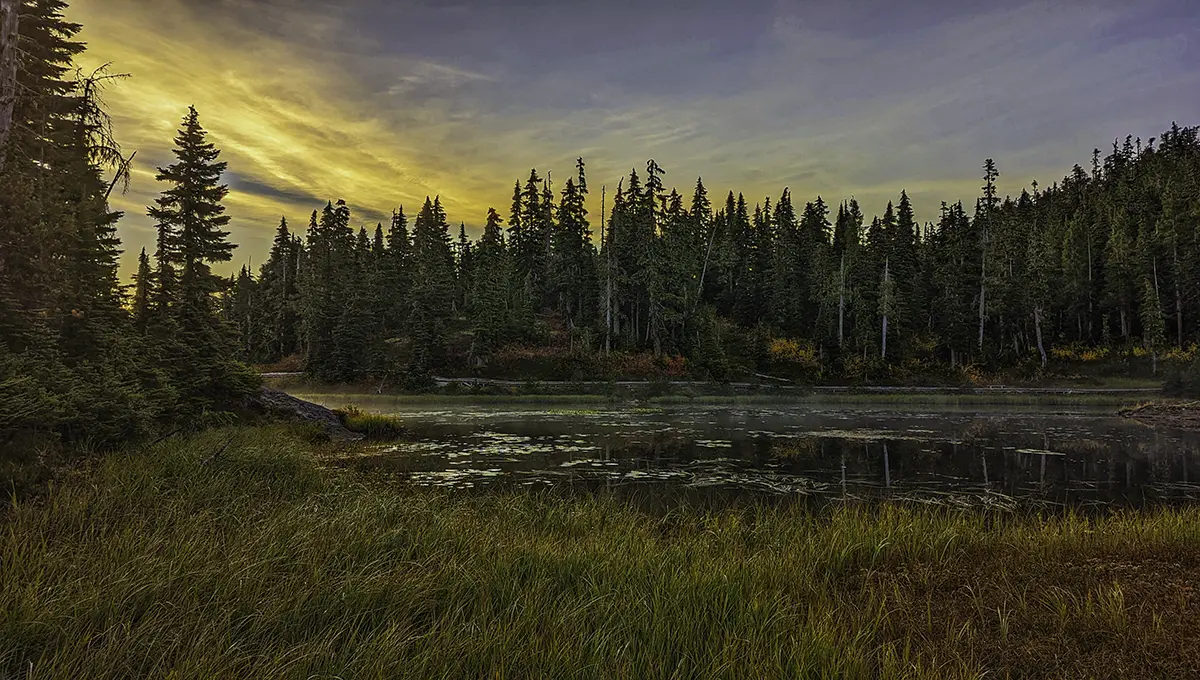
Build stronger compositions
Good composition guides the eye and makes a photo feel intentional. Even simple scenes can look more interesting when the frame is arranged with care.
What helps a composition look stronger?
A stronger composition starts with clear choices about what stays in the frame and what gets left out. Good composition is often about removing distractions, not adding more elements.
|
Techniques |
What it Does |
Best Use |
|---|---|---|
|
Leading Lines |
Guides the eyes to the subject |
Streets, buildings, paths |
|
Clean background |
Reduces distractions |
Portraits, food, products |
|
Reflection |
Adds depth and interest |
Windows, puddles, mirrors |
|
Framing |
Creates focus around subject |
Doors, arches, branches |
|
Lower angle |
Adds drama and scale |
Buildings, pets, children |
Use leading lines.
Leading lines help direct attention toward the subject. Roads, fences, railings, sidewalks, and building edges can all pull the viewer into the image.
When I shoot street scenes or travel photos, I often look for lines first. They give the frame structure and help turn an ordinary location into something more dynamic.
Keep backgrounds clean.
A clean background helps the subject stand out. This is especially important with phone cameras because wide lenses often capture more than you expect.
Before you shoot, look for distractions such as the following:
-
poles behind people
-
bright signs
-
messy tables
-
random passersby
-
strong colours that pull the eye away
Sometimes one step to the left or right fixes the whole shot.
Look for reflections and frames.
Reflections and natural frames can add depth and interest. Puddles, windows, mirrors, and shiny surfaces can create a second layer in the image.
Doorways, arches, branches, and railings can also frame a subject. These details make a photo feel more thoughtful without making it look forced.
Change your angle
Changing your angle can make an everyday subject look fresh. Many phone photos lack impact because they are often taken from a standing height.
Try crouching lower, shooting from above, or moving to the side. A lower angle can make buildings feel taller. A top-down view works well for food and flat lays. A side angle often adds shape and depth.
This is useful in travel photography too. Instead of taking one wide photo of everything, look for smaller details that tell a better story.
Notice details, not just big scenes
Small details often make stronger images than wide overview shots. Texture, gesture, light, and pattern can say more than a distant scene.
Look for:
-
shadows on a wall
-
steam from a drink
-
rain on glass
-
hands doing a task
-
worn textures on old surfaces
These are the kinds of moments that give phone photography more character.
Hold steady for sharper images
A steady phone gives you a sharper result, especially in low light. Even a little movement can blur the frame.
Hold the phone with both hands when possible. Bring your elbows in slightly. If needed, lean on a wall or rest your arms on a table for support.
Use the timer when needed.
A timer helps reduce camera shake when pressing the shutter. It is useful for group shots, self-portraits, and low-light scenes where every bit of stability helps.
It is a simple tool, but it often improves sharpness.
Edit with a light touch
Light editing can take a good image to a great one, but it should not have to rescue a poor one. Start with the best photo you can take, then make small adjustments.
Useful edits include:
-
straightening the horizon
-
cropping out distractions
-
lowering highlights
-
lifting shadows slightly
-
adding a bit of contrast
-
adjusting colour gently
Avoid pushing sliders too far. Heavy editing can make skin look odd and skies look fake. Natural edits usually age better and keep the image believable.

RECOMMENDED EDITOR
On1 Photo RAW – For when you outgrow the build in phone editor
The mobile editor I reach for my serious shots. Free 30-day trial
Conclusion
Better phone photos come from practice and understanding the capabilities or limitations of the camera. Pay attention to light, clean up the frame, choose a clear subject, and take your time. Once you start noticing these small details, your photos will look more polished and more personal.
About Bob Wild
Bob is a fine-art photographer on Vancouver Island and the creator of Phone Photo Guide, and the founder of Who Said Photography. He shares practical mobile photography tips based on real shooting situations, including portraits, natural light, composition, and everyday phone editing.