
Telephoto Camera Lenses Phone Guide for Better Photos

Bob Wild
Fine Art Photographer, Vancouver Island
Founder of Who Said Photography | 20+ years shooting | I try and test every tip on real shoots before it goes on the page
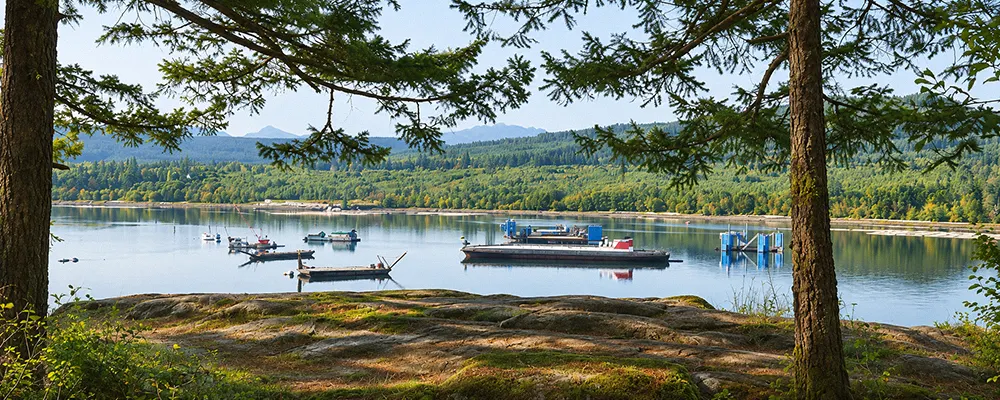
I depend on my smartphone’s telephoto lens when I want to bring distant subjects closer or isolate them from a busy background. Whether I’m photographing wildlife or landscapes, it helps me fill the frame and focus attention on the subject. But there’s a catch! The longer the focal length, the more noticeable camera shake becomes, especially in low light. Here’s how I overcome these challenges to capture sharper telephoto photos with my smartphone.
Key Takeaways
Start with a marked zoom setting before using digital zoom.
To maintain detail and minimize noise, shoot in well-lit conditions.
Steady your phone with both hands or a small tripod.
Tap your subject to set focus before taking the photo.
Switch to the main camera when telephoto results look soft.
What does a telephoto phone lens do?
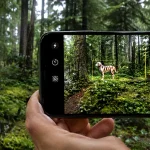
If you remember one thing from this article, make it this: A telephoto lens narrows your field of view, making distant subjects appear larger in the frame. Whether I’m photographing wildlife, architecture, portraits, or details in a landscape, I use this tighter view to isolate my subject, reduce distractions, and create a stronger composition without moving closer.
Unlike traditional camera zoom lenses, most built-in smartphone lenses have a fixed focal length. Instead of physically zooming in, your smartphone switches between different cameras or uses digital zoom to crop and enlarge part of the image. A dedicated telephoto lens provides a narrower view through its optics, capturing distant subjects at greater magnification without relying entirely on digital zoom.
Some smartphones also use computational photography to improve detail and sharpness. However, image quality varies depending on the camera, lighting, and zoom level.
Zoom settings such as 2x, 3x, and 5x differ between phone models. For example, a 2x setting might use a dedicated telephoto camera or crop an image from the main camera. Please review your smartphone’s camera specifications to identify the lenses it actually has.
A zoom button alone doesn’t mean your phone has a dedicated telephoto lens.
How do you select the telephoto lens?
Open your camera app and tap a marked zoom option such as 2x, 3x, or 5x. Frame the subject, tap to focus, and take a test shot. Check your details before increasing magnification. If the subject still looks small, try a modest step beyond the optical setting rather than jumping straight to 10x zoom.
An iPhone, including Pro Max models, a Samsung Galaxy, or a Google Pixel phone displays different zoom controls. On iPhone and Android, a marked zoom button doesn’t always mean a dedicated lens is active. Samsung and Pixel models also differ in how their phone camera software switches between lenses. A 2x telephoto option sometimes comes from a high-resolution main sensor instead of a dedicated camera. Before using the telephoto lens, watch for an on-screen change in exposure or framing as the phone switches lenses.
Keep telephoto photos sharp and steady.
Longer focal lengths exaggerate camera shake. Hold the phone with both hands, tuck in your elbows, or use a tripod. Good light supports faster shutter speeds and sharper detail. Clean the phone lens before shooting. At longer telephoto reach, even slight hand movement becomes obvious. Rest your mobile phone against a railing or use a two-second timer when a tripod isn’t available.
If a photo looks grainy or blurred, reduce zoom, improve the light, or return to the main camera. Avoid pushing digital zoom beyond the detail your phone preserves. Review the photo at full size, not just on the small camera app preview. Check text, feathers, or building edges for lost texture and blur.
Use telephoto for stronger compositions.
Pick one clear subject and check the edges for distractions. Telephoto framing also strengthens layered landscapes and separates distant objects. Shoot at least one wider backup photo for extra cropping later.
|
Subject |
Why telephoto helps |
What to watch |
|---|---|---|
|
Portrait |
Reduces close-up facial distortion |
Focus on the nearest eye |
|
Wildlife |
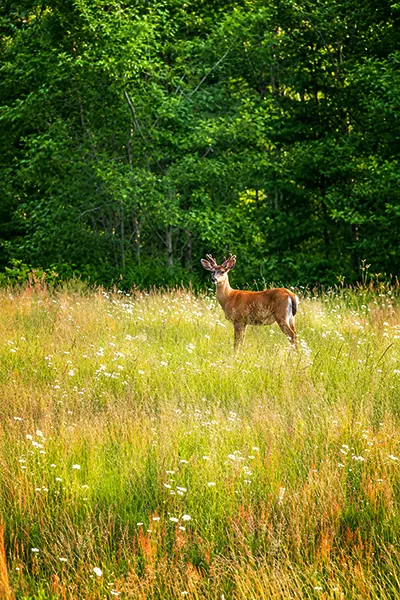
Frames animals from a safe distance |
Steady the phone |
|
Stage event |
Isolates a performer |
Watch for low-light noise |
|
Landscape detail |
Emphasizes distant layers |
Watch for haze |
Know when another lens works better.
If your smartphone doesn’t have a built-in telephoto lens, a clip-on telephoto lens offers another way to photograph distant subjects. Options like the Apexel 36x telephoto lens provide additional magnification, but image quality depends on proper alignment, a secure mount, and steady support.
Before buying an external lens, check its compatibility with your phone model and compare its image quality with your smartphone’s built-in camera.
As a side note, clip-on lenses aren’t limited to telephoto photography. You can also buy macro lenses for close-up photography, wide-angle lenses for broader scenes, and fisheye lenses for creative, distorted perspectives.
Avoid common telephoto lens mistakes.
A 10x zoom label doesn’t guarantee 10x optical zoom. At extreme settings, digital processing often reduces fine texture. Treat advertised 100x or 200x zoom as reach, not a promise of sharp detail. A 10x telephoto result with clear texture is more useful than a larger, heavily processed image. For wildlife, compare a slight crop from a sharp photo against a higher zoom setting with smeared detail.
Avoid dirty lenses, one-handed shooting, excessive zoom, and focusing too close. Compare photos at each marked zoom setting to find your smartphone’s sharpest range. If the subject is safe to approach, get closer instead of increasing digital magnification. Keep a wider frame as a backup for later cropping.
Keep Learning
Your next move with the camera
You’ve got the controls. These are the guides I’d hand you next. Each one picks up where the other left off. Written from the same real photo shoots
-
Common Mistakes Mobile Photographers Make for Beginners
Common Mistakes Mobile Photographers Make: Beginners Guide Common mistakes mobile photographers make often has less to do with…
-
Flower Photos With Phone: Beautiful Flower Photography Tips
Flower Photos With Phone: Beautiful Flower Photography Tips Flower photos with phone can turn out wonderful, but have…
-
How To Adjust Exposure on iPhone Before You Take the Shot
How To Adjust Exposure on iPhone Before You Take the Shot I learned how important it is to…


RECOMMENDED EDITOR
On1 Photo RAW – For when you outgrow the build in phone editor
The mobile editor I reach for my serious shots. Free 30-day trial
Conclusion: Make Your telephoto shots more reliable.
Start with a clean lens and good light. Select a marked zoom setting, tap to focus, steady the phone, and review the result. Use only the telephoto lens when reach is needed for the composition. Whether you shoot with an iPhone, Samsung, Pixel, or another Android device, let actual photo detail guide the choice instead of the highest zoom number.
About Bob Wild
Bob is a fine-art photographer on Vancouver Island and the creator of Phone Photo Guide, and the founder of Who Said Photography. He shares practical mobile photography tips based on real shooting situations, including portraits, natural light, composition, and everyday phone editing.