
Best Phone Camera Lens: Choose the Right One Every Time

Bob Wild
Fine Art Photographer, Vancouver Island
Founder of Who Said Photography | 20+ years shooting | I try and test every tip on real shoots before it goes on the page
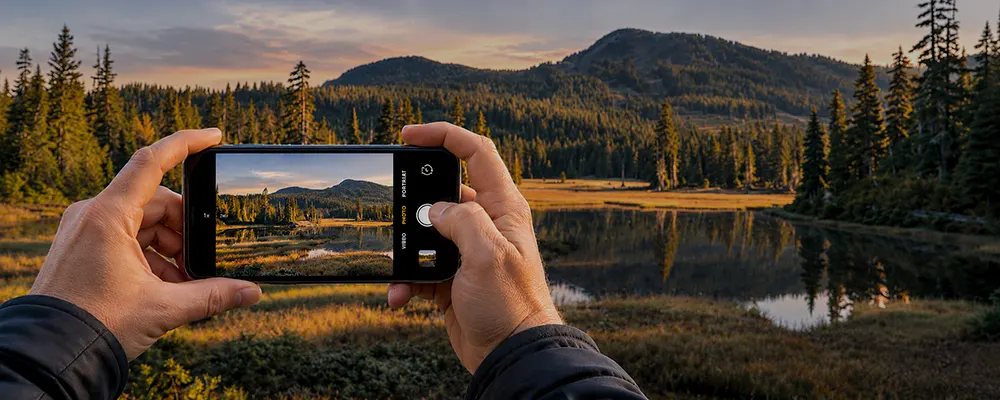
When I’m out taking photos with my smartphone, I don’t always stick with the same lens. What I’m photographing, how close I can get, and the available light all influence which lens I use. Choosing the correct one makes a difference in my composition and image quality.
Let’s talk about how to choose the best lens for everything from landscapes and portraits to close-ups and distant subjects. Whether you use an iPhone or an Android, I’ll explain when to use your built-in cameras and when an external lens might be useful.
Key Takeaways
Start at 1x for dependable image quality in most everyday lighting conditions.
Choose ultra-wide when space is tight, but keep people away from edges.
Use telephoto for distant subjects and natural-looking portraits from farther back.
Prefer marked zoom steps to avoid losing fine detail through heavy cropping.
Compare two focal lengths before leaving so you keep the stronger composition.
Which phone lens should you use first?
Start with the main smartphone lens at 1x. On most Android and iPhone models, it offers a useful balance of detail, focus and light gathering.
Not every Zoom step represents a different lens. A 2x telephoto setting may zoom in by cropping the image on the sensor instead of actually using optical magnification.
Check your phone model’s to see which focal lengths use separate optics.
When should you use the ultra-wide lens?
An ultra-wide lens gives you a broader field of view than the standard wide-angle camera. Use it for small rooms, tall buildings, landscapes and large groups when you cannot step back.
Nearby objects appear larger relative to distant ones, especially when you move closer. Perspective distortion can add depth to landscapes, but people near the edges may look stretched.
When should you use a telephoto lens? If the corners look pulled or empty, switch to a narrower view and step back.
When should you use a telephoto lens?
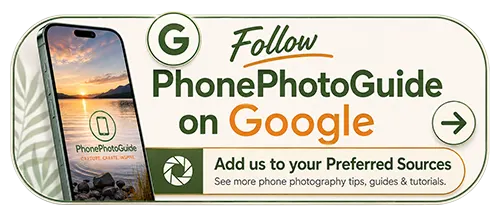
Telephoto lenses are useful for taking photos of distant objects or tighter shots. They work great works for portraits, pets, architecture, and performances. Standing farther back helps maintain natural facial proportions, while the narrower field of view removes distractions and simplifies the background.
Longer focal lengths make small movements more noticeable, so hold the camera firmly.
Avoid using telephoto inside its minimum focusing distance. For a close-up of a flower or insect, try macro mode or a dedicated macro lens instead.
Match each lens to the scene.
Use the table to match your subject and shooting conditions to a lens.
|
Lens choice |
Best uses |
Watch for |
|---|---|---|
|
Ultra-wide, often 0.5x |
Tight interiors, landscapes, architecture, large groups |
Stretched edges, small subjects, weaker low-light detail |
|
Main, usually 1x |
Everyday photos, food, people, indoor scenes, low light |
A view that may be too broad for distant subjects |
|
Telephoto, often 2x to 5x |
Portraits, performances, distant details, simpler backgrounds |
Camera shake, close-focus limits, softer results in dim light |
When should you consider an aftermarket lens?
An add-on lens system can expand your options for mobile photography. A fisheye lens creates deliberately curved edges; avoid a fisheye for architecture where straight lines matter.
For videography, ShiftCam’s 1.33x anamorphic lens produces a wider, cinematic frame after the footage is corrected. Depending on the lighting, you can also capture horizontal lens flares.
If you’re comparing lenses for iPhone and Android, consider which effects you actually need. An Apexel lens kit lets you explore several effects, while ShiftCam offers a 16mm wide-angle lens and a 60mm tele lens for tighter framing or broader coverage. You may only need one mobile lens rather than a full kit.
Get better results in low light.
Your primary/normal lens is often the best choice for indoor and evening photos.
Clean the camera lens before shooting. Fingerprints scatter light and soften detail. Brace your elbows or use a tripod and timer to reduce motion blur during longer exposures.
If a tighter shot looks smeared, repeat it at 1x. A modest crop from a cleaner file may give you better image quality.
Build a simple lens-choice routine.
Use this routine whenever you’re unsure which camera to choose:
- Identify the subject and decide what belongs in the frame.
- Compare two focal lengths from your shooting position.
- Examine the finished photos for sharpness and distracting edges.
- Keep the composition that best communicates the scene.
Review your favourite photos before buying a new phone or accessory. A newer phone may already offer the view you want. The best lenses for iPhone or other devices are the ones that solve a recurring photography problem, not simply those with the greatest magnification.
Avoid common lens-choice mistakes.
Move closer when safe instead of using heavy digital enlargement. Megapixels alone cannot guarantee sharp results; focus, stabilization and lighting also matter.
When choosing a lens for iPhone or Android, check compatibility before buying. A clip-on lens may need a mounting adapter, while other designs require a dedicated iPhone case. Raised lens housings can prevent the attachment from sitting flat. When you attach the lens, centre it securely over the correct camera to avoid dark corners.
Moment offers T-Series and M-Series mounts. As a general guide, consider T-Series for newer devices and M-Series for older ones, but check the manufacturer’s chart. Lenses and cases designed for an iPhone 16 Pro may not fit an iPhone 18 Pro.
Lenses and filters serve different purposes. A circular polarizing filter can reduce reflections on water and glass without changing the focal length. Before you attach it to your phone, check whether the adapter fits your chosen camera or accessory.
Keep Learning
Your next move with the camera
You’ve got the controls. These are the guides I’d hand you next. Each one picks up where the other left off. Written from the same real photo shoots
-
Flower Photos With Phone: Beautiful Flower Photography Tips
Flower Photos With Phone: Beautiful Flower Photography Tips Flower photos with phone can turn out wonderful, but have…
-
How To Adjust Exposure on iPhone Before You Take the Shot
How To Adjust Exposure on iPhone Before You Take the Shot I learned how important it is to…
-
How to Make iPhone Photos Brighter Without Overexposing
How to Make an iPhone Photo Brighter Without Overexposing When I want to make iPhone photos brighter, I…

RECOMMENDED EDITOR
On1 Photo RAW – For when you outgrow the build in phone editor
The mobile editor I reach for my serious shots. Free 30-day trial
Conclusion: Choose the lens that fits
In smart phone photography, choosing the right lens starts with analyzing the scene and deciding how you your viewer to see the story. I usually start with the 1x main camera for its sharpness and ability to handle different lighting conditions. I switch to the ultra-wide lens when I want to capture more of a landscape and reach for the telephoto lens when photographing distant subjects or simplifying a busy background.
Aftermarket lenses and filters are worth exploring if you want more creative options. Just make sure they’re compatible with your phone before buying. My advice is to experiment with different focal lengths, limit digital zoom and compare your photos. Don’t just settle for the most convenient lens. Choose the one that improves your composition and gives you the image quality you’re looking for.
About Bob Wild
Bob is a fine-art photographer on Vancouver Island and the creator of Phone Photo Guide, and the founder of Who Said Photography. He shares practical mobile photography tips based on real shooting situations, including portraits, natural light, composition, and everyday phone editing.